Read your way into a new language.
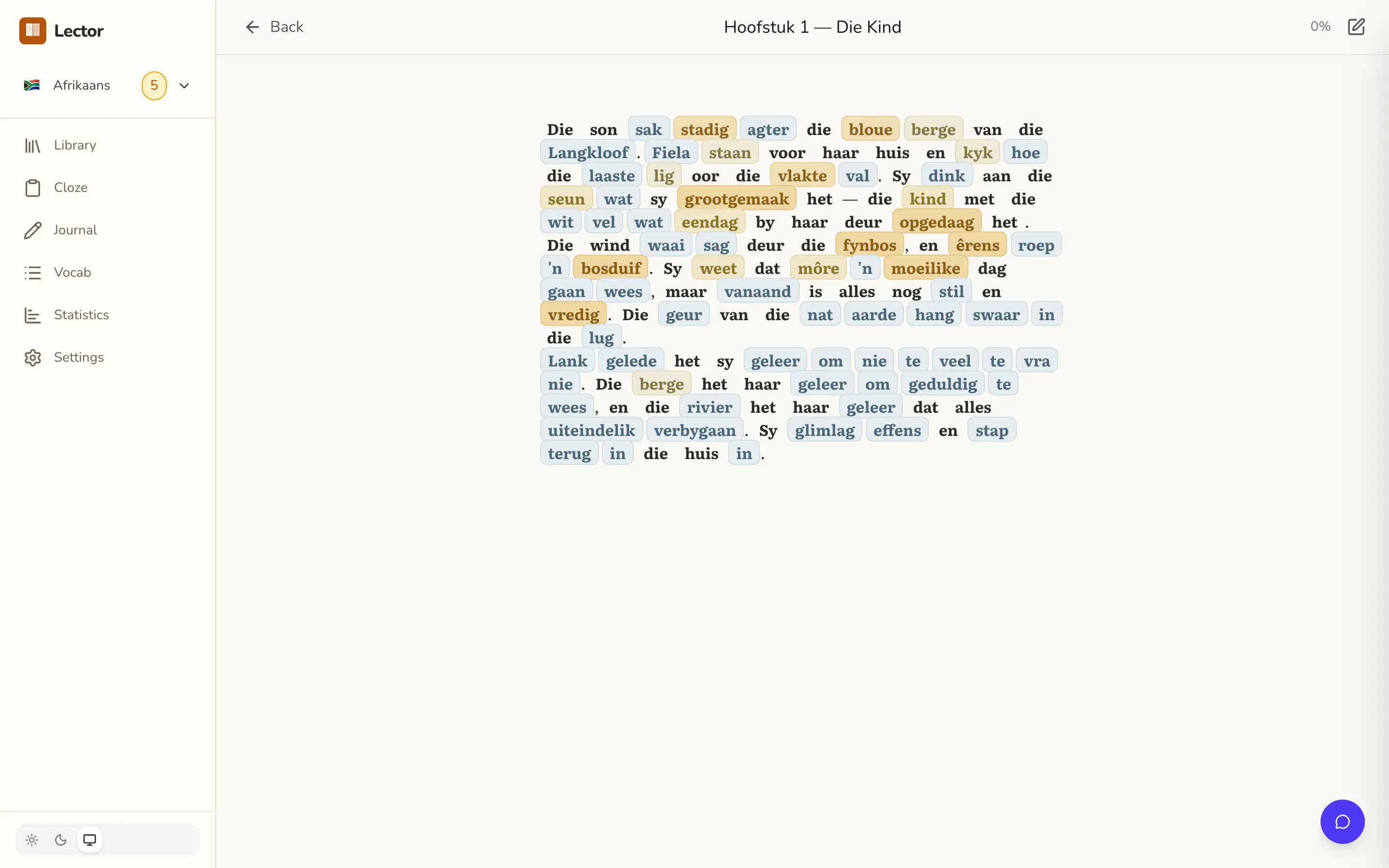
Turn any book into a lesson.
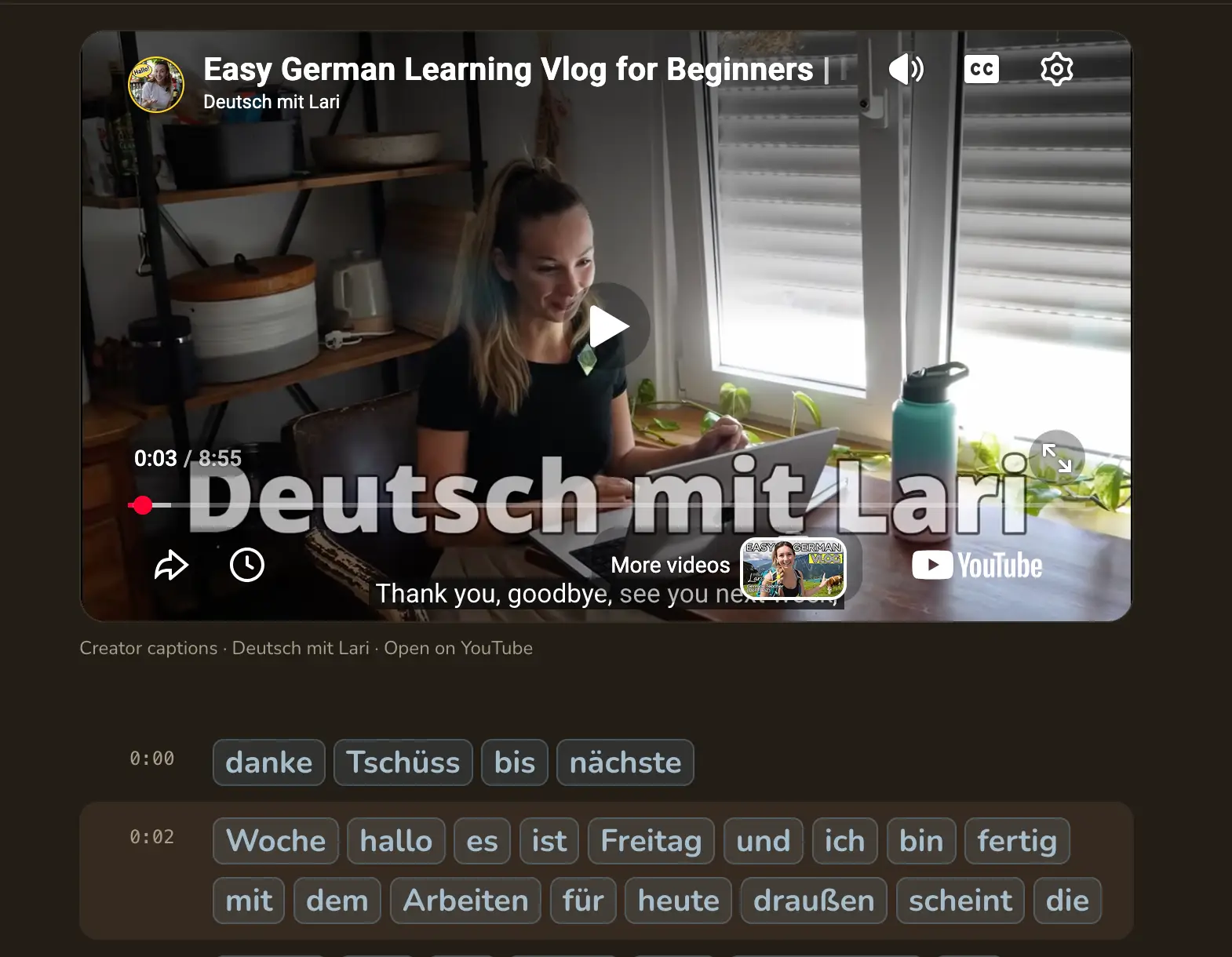
Read along with video and audio.
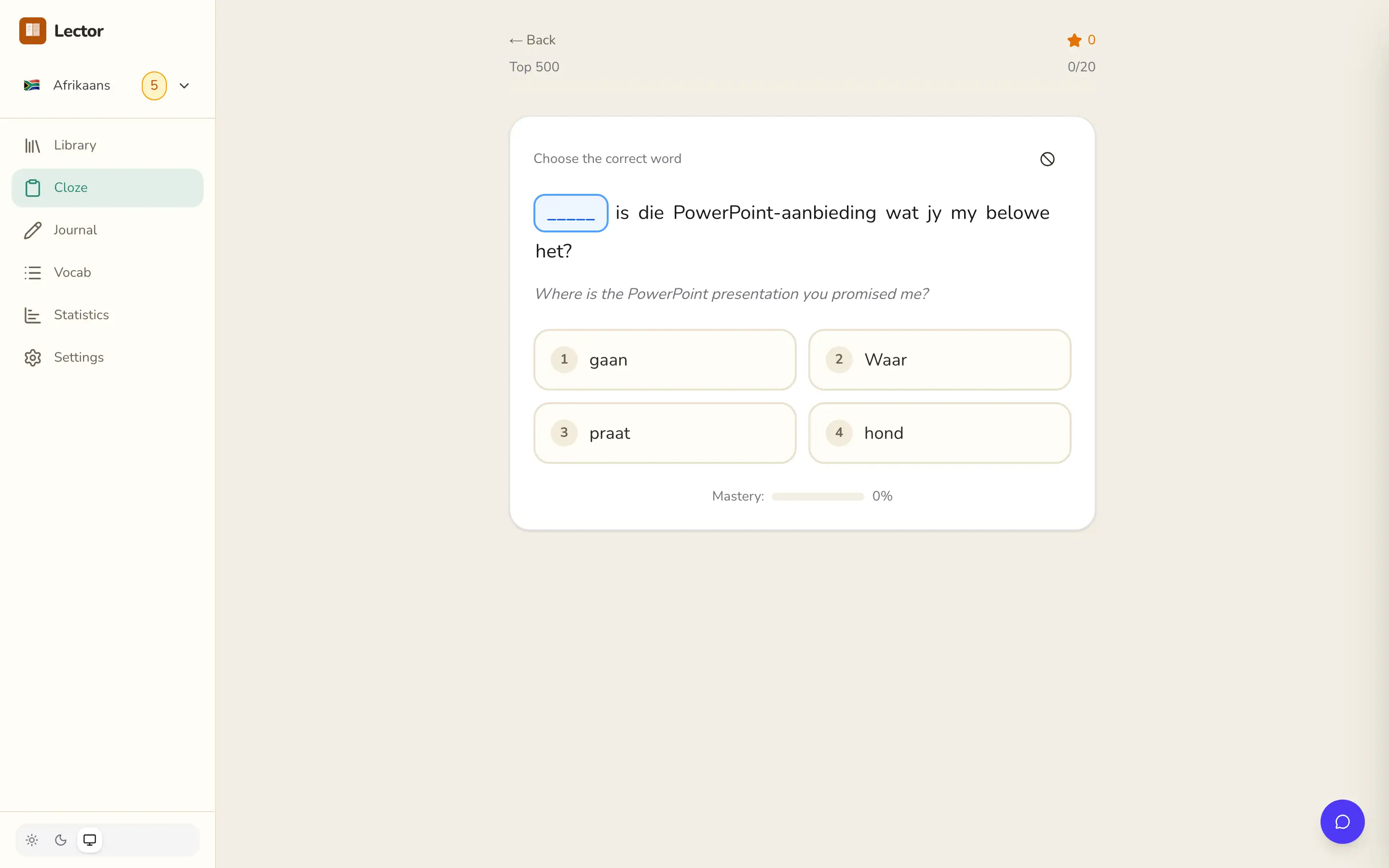
Practise the words that matter first.
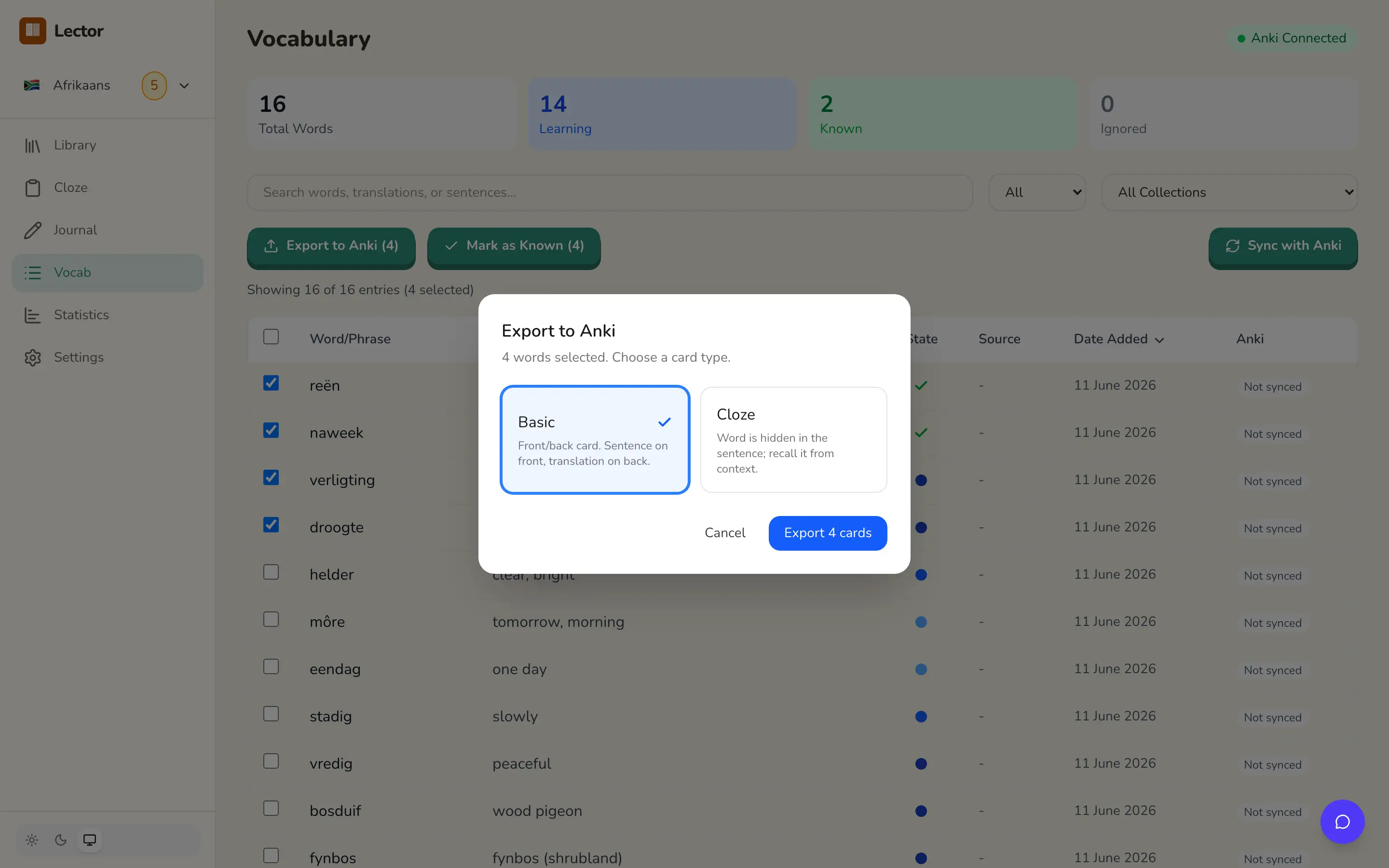
Mine vocabulary. Sync it with Anki.
A tutor for your questions, and an editor for your writing.
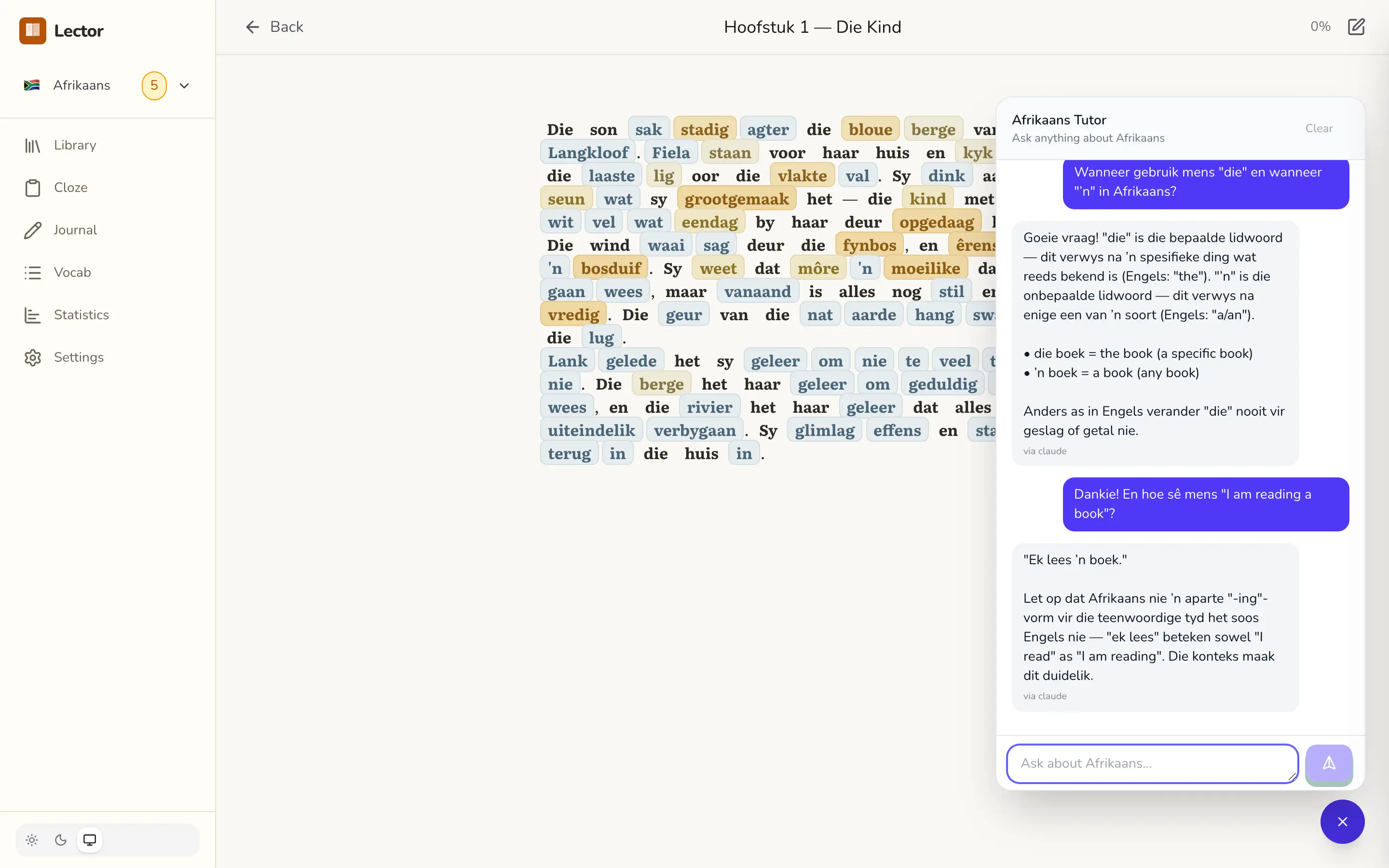
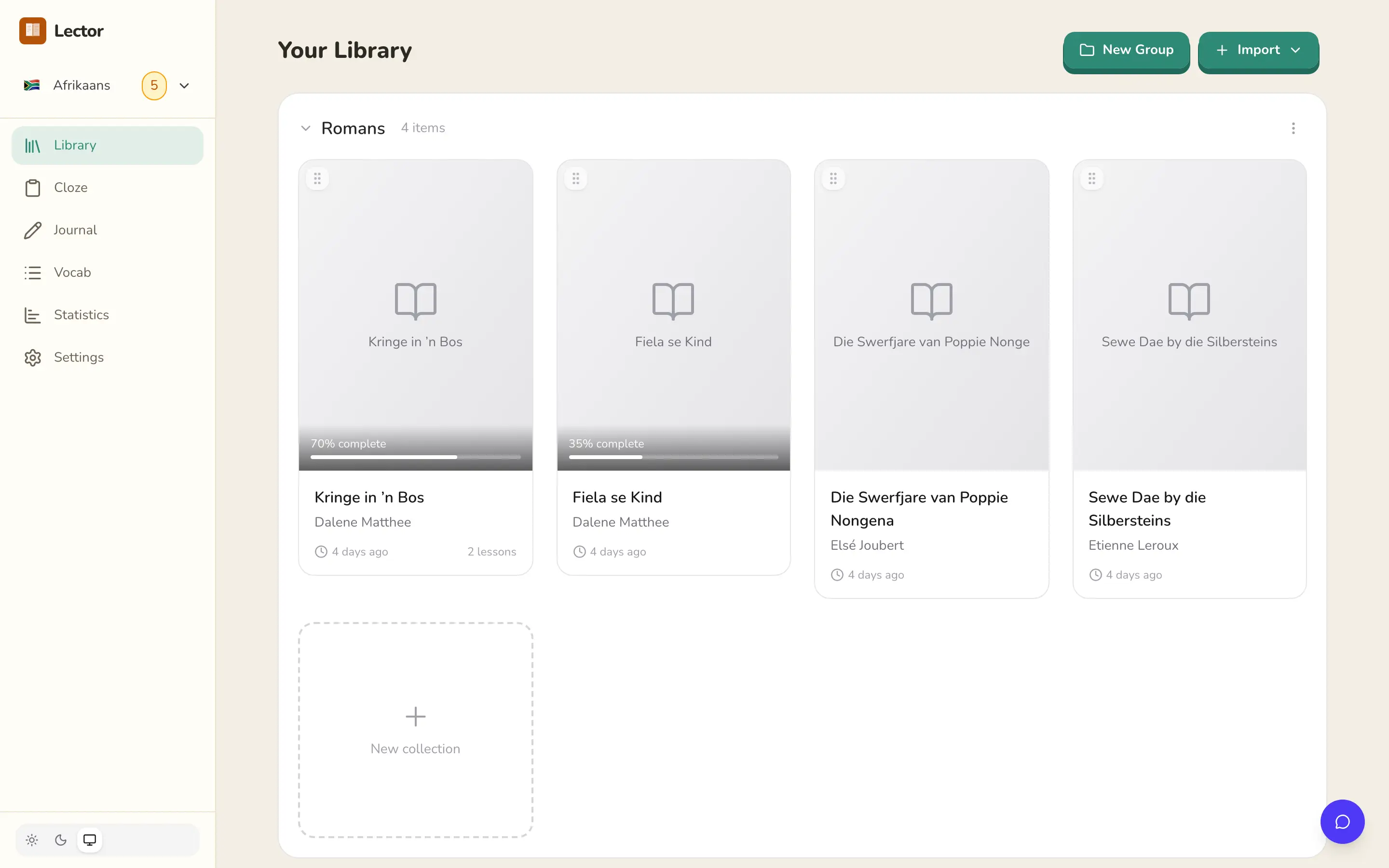
A library that stays tidy.
Everything else, without the sprawl.
Text-to-speech
Lector can use Google Cloud to pronounce words and sentences correctly. This feature is optional.
Web and paste import
Lector reads an article from any URL with Readability. You can also paste text directly.
Offline-first storage
Lector stores data in SQLite on the server and in IndexedDB in the browser. It needs no cloud account and no sync.
Statistics dashboard
The dashboard shows your vocabulary growth, your reading streaks, your activity heatmaps, and your cloze mastery. It also rates your fluency on the Common European Framework of Reference (CEFR) scale.
AI translation, with an offline backup
When you need a translation, Lector calls Claude or a local LLM. If neither is available, it uses the on-device dictionary from the language pack.
Any language
The reader works with any language. A language pack adds a cloze bank and a dictionary.
Languages, ready to read.
Mandarin → English
中文
Hindi → English
हिन्दी
Spanish → English
Español
Arabic → English
العربية
French → English
Français
Bengali → English
বাংলা
Portuguese → English
Português
Russian → English
Русский
Indonesian → English
Bahasa Indonesia
German → English
Deutsch
Turkish → English
Türkçe
Italian → English
Italiano
Polish → English
Polski
Ukrainian → English
Українська
Dutch → English
Nederlands
Afrikaans → English
Afrikaans
Czech → English
Čeština
Swedish → English
Svenska
Modern Greek → English
Ελληνικά
Hungarian → English
Magyar
Finnish → English
Suomi
Esperanto → English
Esperanto
Koine Greek → English
Κοινή
Latin → English
Latina
On the roadmap.
Vietnamese → English
Tiếng Việt
Tagalog → English
Tagalog
Romanian → English
Română
Modern Hebrew → English
עברית
Danish → English
Dansk
Slovak → English
Slovenčina
Irish → English
Gaeilge
Welsh → English
Cymraeg
Scottish Gaelic → English
Gàidhlig
Biblical Hebrew → English
עברית מקראית
Which language do you want next?
Choose a language and we will email you once, on the day it is ready. No newsletter.
Your build order comes from this list. Want to talk it over? Join the Discord.
A new language is simple to add. To build a pack yourself, open the GitHub repository.
Open source. Your way.
Self-host
FreeLector Cloud
Beta · from $5/moWe host it, back it up, and keep it updated. You need no Docker and no setup. Just sign in and start to read. If you prefer not to run a server, choose Lector Cloud.
Start on Lector CloudYour course should not rent your progress back to you.
Your data, your server
Reading history, vocabulary, and progress live in a SQLite file on your hardware. There are no third parties and no telemetry.
No subscriptions
Deploy Lector once. Then learn forever. There are no monthly fees, no premium tiers, and no feature gates.
Works offline
Reading, cloze, and vocabulary all run without a connection. Only AI features need the internet.
Simple backup
Your data is one SQLite file in one Docker volume. Copy it with rsync or borg, or copy it to a USB drive.
Ready in about a minute.
docker-compose.yml file. Then start the container.# Create a directory for Lector
mkdir lector && cd lector
# Create a docker-compose.yml
cat <<EOF > docker-compose.yml
services:
lector:
image: ghcr.io/heuwels/lector:latest
container_name: lector
restart: unless-stopped
ports:
- "3400:3000"
environment:
- NODE_ENV=production
volumes:
- ./data:/app/data
EOF
# Start it up
docker compose up -dGood to know.
Is it really free?
If you host it yourself, Lector is free and open-source. Deploy it on your own machine, with optional authentication. There is no subscription and there are no feature gates. If you do not run a local model, your only cost is your own use of an LLM API. If you prefer not to run a server, Lector Cloud starts at $5/mo and we host it for you. For comparison, LingQ costs about $15/mo and Clozemaster Pro about $13/mo.
Self-host or Lector Cloud. Which is right for me?
If you can run a Docker container, host Lector yourself. It costs nothing, your data never leaves your hardware, and you bring your own LLM keys. If you prefer to read and let someone else handle the servers, Lector Cloud does that from $5/mo. We also handle the backups and the updates. You can move between the two at any time. Export your data whenever you want to, because you always own it.
Where does my data live?
The answer depends on how you run Lector. If you host it yourself, all your data stays on your hardware in a Docker volume, and a backup is one file copy. There are no third-party databases, no analytics, and no telemetry. To let us count the active self-hosted installations, you may opt in and send us a signal. On Lector Cloud, we host your data in AWS (us-east-1). You can export it at any time, and you always own it.
Do I need an API key or a GPU?
No. The reader, the cloze practice, and the vocabulary tracking all work offline against a built-in dictionary. Only three features use the network: AI translation, the tutor, and writing correction. You can point those three at a local model or at any OpenAI-compatible API. Ollama, Llama, and Gemma all work. For a setup that needs no connection at all, read offline and remote use.
Which languages does Lector support?
The reader works with any language. A language pack adds a frequency-ordered cloze bank and an on-device dictionary. The packs now cover 中文, हिन्दी, Español, العربية, Français, বাংলা, Português, Русский, Bahasa Indonesia, Deutsch, Türkçe, Italiano, Polski, Українська, Nederlands, Afrikaans, Čeština, Svenska, Ελληνικά, Magyar, Suomi, Esperanto, Κοινή, Latina. We add more packs over time. To add a new pair, send a simple pull request.
How do I get help?
Open the contact page. Send a message. You can also email [email protected]. The Discord server is another option.
How is this different from LingQ, Clozemaster, or Anki?
Lector does the work of both LingQ and Clozemaster in one place. It keeps all your known words in one vocabulary database, and not spread across separate services. You still own your cards in Anki. Lector gives you LingQ-style reading with click-to-translate, Clozemaster-style frequency cloze, two-way Anki sync, an LLM tutor, and a writing journal. You run one app on your own server, and you own your data. See the full comparisons: Lector vs LingQ, Lector vs Clozemaster, Lector vs Lute, Lector vs LinguaCafe, and Lector vs FreeLingo.
Learn alongside other readers.
Start to read in your target language today.
Host the open-source app yourself for free, or sign in to Lector Cloud and start.